
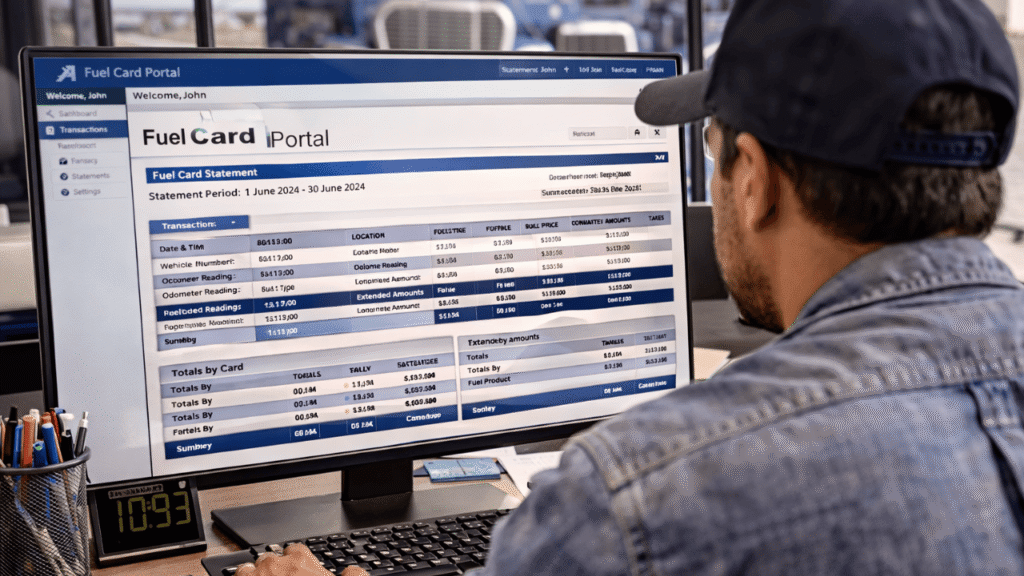
Most fleet managers look at their fuel card statements, check the total, and then go on with their day. That habit is costing them money.
There is a lot more on your fuel card usage statements than just a bill. You can find out a lot from each line item, like which driver filled up, where they did it, how much fuel they bought, how much they paid per liter, and if anything seems off. You stop guessing and start managing once you know how to read that data.
Table of Contents
Why You Should Pay More Attention to Your Fuel Statements
A lot of your operating costs go toward fuel. That number is between 25 and 30 percent of total costs for most fleets. Even small problems can add up quickly across a whole fleet when the numbers are that big.
The good news is that your fuel card statements already have the information you need to find those problems. The hard part is knowing where to look and what to do with what you find.
Where to Access Your Statements
Most companies that sell fuel cards let you get to your data in two ways.
- The first is your online portal. You have the most control here. You can log in whenever you want, filter by driver or vehicle, choose your own date ranges, and look at your spending whenever you want. Make it a habit to check it often; once a week works for most fleets.
- The second thing is your monthly invoice, which your provider sends straight to your email. This gives you a quick look at everything that happened during the billing cycle. This is a good place to start, but the portal shows you everything.
How to Read a Fuel Card Usage Statement: Section by Section
A standard fleet fueling bill breaks transactions into several key fields. This is what each one means and why it is important.
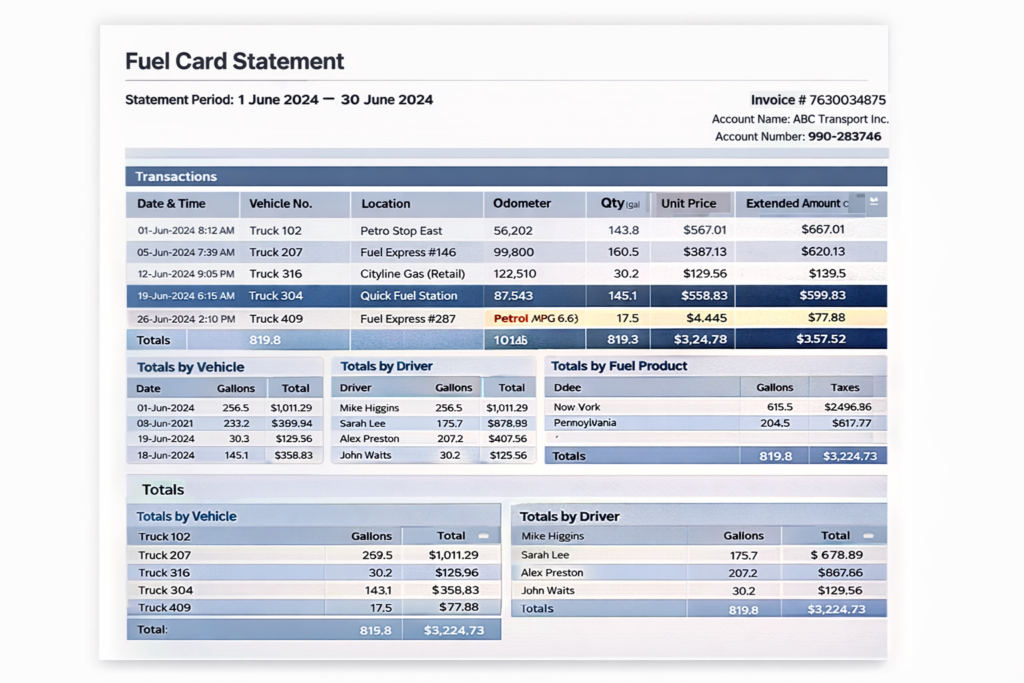
- Date and Time: The date and time in your time zone when the transaction took place. Check for purchases made outside normal business hours. A fill-up at 10 PM, when your drivers get off work at 6 PM, is a sign that something is wrong and should be investigated.
- Vehicle Number: This connects the transaction to a certain vehicle in your fleet. If you see a vehicle number you don’t recognize or that doesn’t match the route for that day, look into it further.
- Site or Location: This tells you which gas station you used and whether it was a retail or in-network station. Most of the time, in-network stations let you buy things at wholesale prices. Gas stations that sell to the public charge higher prices. It’s easy to fix the cost if your drivers always use retail stations even when other options are nearby.
- Odometer Reading: Drivers enter this at the pump. It is used to figure out how much gas was used for that transaction. If the new odometer reading is lower than the old one, or if the difference is very big, the statement will leave the MPG field blank. Keep an eye out for this; it usually means the driver typed in the wrong number, which makes your efficiency data useless.
- Product Type: This tells you what was bought. It should say what fuel your cars use, like diesel or unleaded. If you see anything here that you didn’t expect, such as lubricants, additives, or non-fuel items, you may need to tighten your product controls.
- Quantity and Unit Price: The quantity is the number of gallons or liters bought. Unit price is the amount that was paid for each unit. These things together will tell you if a driver filled up correctly or made a small, shady purchase at an expensive station.
- Extended Amount and Taxes: The extended amount is the final total, which includes all taxes, such as federal, state, and miscellaneous taxes. This is the number that goes into your total fuel cost. Some statements show each tax separately, so you can see exactly how much you owe and where.
The Summary Sections That Save You Time
Good fuel card statements don’t just show individual transactions; they also have summary sections that group data in useful ways.
- Totals by Card or Driver: This shows how much money was spent on each card or driver. First, scan this. If a driver’s total doesn’t match their route or vehicle, that’s where you should look.
- Totals by Vehicle: This is like the above, but the totals are sorted by vehicle number. This can help you find cars that are using more gas than normal, which can be a sign of mechanical problems.
- Totals by Fuel Product: This shows how many of each fuel type were purchased during the billing period. Good for ensuring drivers get the right fuel for their cars.
- Totals by State or Region: This part shows how much money was spent by location if your fleet crosses state or regional lines. It helps with filing taxes and can also show if you’re buying things in places where you don’t usually do business.
What to Actually Look For When You Review Statements
One thing is reading a statement. Another thing is knowing what to flag. These are the patterns that you should pay attention to.
- Strange amounts of gas: A driver with a 200-liter tank shouldn’t be buying 350 liters in one go. It’s worth taking a closer look at purchases that are too big or too small for the tank.
- Frequent small top-ups: If a driver fills up five or six times a week in small amounts rather than doing full fill-ups, it could mean they are not planning their routes well or, in some cases, misusing their card.
- Off-route purchases: Your statement shows where each transaction took place. If a driver has to fill up 80 kilometers off their route, that should be discussed.
- Declining fuel economy: Look at the MPG or litres-per-100km numbers for the same car over time to see how they change. Before any warning lights come on, a slow drop in efficiency is often a sign of a maintenance problem. Catching it early saves money on repairs and keeps things from breaking down.
- Consistent use of expensive stations: Some drivers go to motorway stations or premium locations out of habit, even though they are more expensive. The data makes this clear. This can be fixed quickly with a simple reminder about approved stations.
How to Use Monthly Reports to Find Bigger Trends
You can see what happened in each transaction. Monthly reports show you patterns.
Look at how much fuel your fleet spends each month. If costs are going up but mileage is staying the same, something has changed, like the price of gas, how the driver drives, or the condition of the car. To find out where the rise is coming from, look at it by vehicle and driver.
If your provider sends you both mileage and fuel costs, check them against each other. Based on its average efficiency, a car that drove 3,000 kilometers should have a fuel consumption that is about what you would expect. If there are big differences between what you expect and what you actually use, you should look into it.
A Simple Review Routine That Works
You don’t have to spend hours going over statements to get something out of them. Just a simple routine is all you need.
Once a week, look at your portal for anything that seems strange, like purchases made outside of business hours, purchases made in strange places, or large transactions. Use the summary sections to do a more in-depth review at the end of each month. Check totals by driver and vehicle, examine month-to-month trends, and flag anything that has changed significantly. If something seems off, get in touch with the drivers directly. Most problems come from real mistakes, and a quick talk usually fixes them.
One of the least used tools in fleet management is your fuel card usage statements. The information is already there; it is automatically gathered every time a driver swipes at the pump. The main thing that separates fleets that waste money on fuel from those that don’t is whether or not someone is actually looking at the numbers.
Want to Simplify Your Fleet Reporting?
If you want to simplify reporting and gain better visibility into your fuel card usage statements, the right fuel card program can make a significant difference.
Visit getfuelcard.com, call +1 (905) 901-1601, or email hello@getfuelcard.com to learn how fuel card solutions can help your fleet track fuel expenses, manage fuel purchases, and improve operational efficiency.