
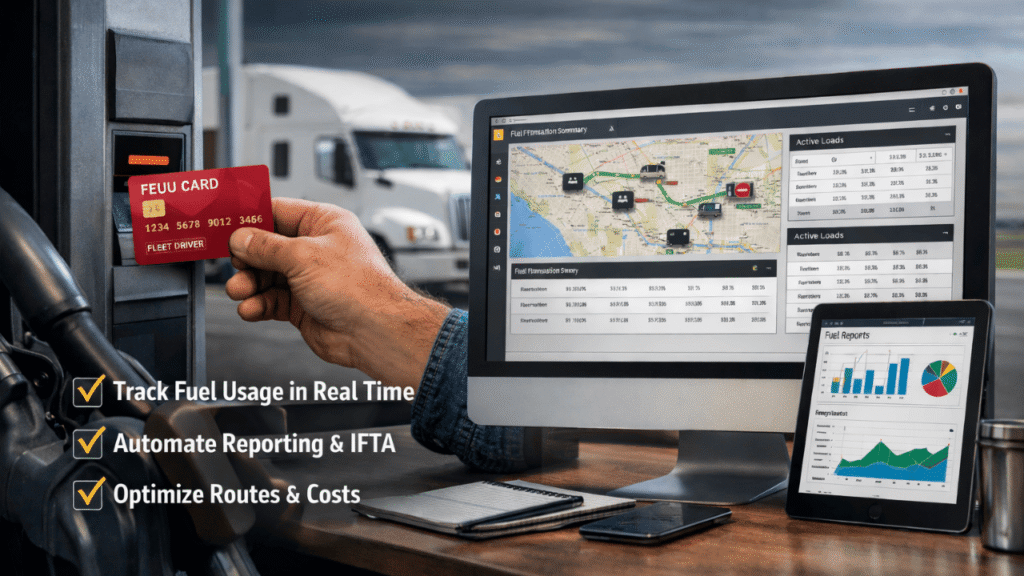
Most fleet managers already use fuel cards to control spending, and most use dispatch software to manage loads and drivers. But very few connect the two, and that gap is costing them time, money, and visibility they could have right now.
Integrating fuel cards with dispatch systems unifies two separate tools into a single powerful platform. Instead of manually reconciling fuel receipts against dispatched routes, everything is automatically reconciled. You see which driver fueled, on which load, at what cost, without touching a single spreadsheet.
This guide explains how fuel cards with dispatch systems work together, what you gain from the integration, and how to set it up without disrupting your current operation.
Table of Contents
Why Fuel Cards With Dispatch Systems Work Better Together
Running fuel cards and dispatch software separately creates gaps. A driver gets dispatched on a load, fuels up three times along the route, and hands in receipts at the end of the week. Someone on your team then matches those receipts to the correct load, enters the data, and hopes nothing was missed.
That process is slow, error-prone, and tells you almost nothing in real time. If you’re still collecting paper receipts and manually entering data into spreadsheets, integrating fuel card data into your existing transportation management software can save time, reduce errors, and make IFTA reporting easier.
When you connect fuel cards with dispatch systems, that entire manual process disappears. Every time a driver fuels up, the data, date, location, gallons, and price, is synced directly to your fleet management software. The information you need is instantly available for review and reporting.
That’s the foundation. Everything else builds from there.
Integrating Fuel Card Data With Dispatch Systems
Real-Time Fuel Data Tracking
The most immediate benefit of integrating fuel cards with dispatch systems is real-time visibility. Instead of waiting for a weekly report, you see fuel activity as it happens, which driver fueled, at which station, how many gallons, and whether it matches the dispatched route.
Integrating fuel card data with telematics allows companies to monitor fuel usage, identify anomalies, and flag suspicious activity. Detailed analytics reveal patterns that help managers make informed decisions about route planning, driver behavior, and maintenance scheduling.
This kind of fuel data tracking makes problems obvious immediately. If a driver fuels up at a station that’s significantly off their dispatched route, the system flags it. If the gallons purchased exceed the vehicle’s tank capacity, you get an alert. These aren’t issues you can catch in a weekly review, they require real-time data.
Automated Fuel Reporting
One of the biggest time-savers from connecting fuel cards to dispatch systems is automated fuel reporting. Every transaction is recorded, categorized, and assigned to the correct vehicle and driver without anyone having to enter it manually.
Instead of collecting paper receipts and tracking data in spreadsheets, integrated systems create unalterable fuel usage records, allowing you to access data quickly and make decisions instantly.
This matters most at reporting time. IFTA filing, for example, becomes dramatically simpler. Your dispatch system automatically breaks down fuel purchased and miles driven in each state, each transaction is matched with GPS or mileage data to determine how much fuel was used in each jurisdiction. What used to take hours of manual calculation now runs automatically in the background.
Route Dispatch Analytics
Connecting fuel cards with dispatch systems gives you something neither tool provides on its own, the ability to see fuel cost in the context of specific routes and loads.
Whether addressing scheduling bottlenecks, optimizing dispatch based on real-time traffic conditions, or streamlining maintenance schedules, analytics provide the necessary insights for operational improvement. Analytics help predict fuel needs, identify optimal refueling locations, and evaluate the performance of both vehicles and drivers.
This is where route dispatch analytics gets genuinely useful. You can compare the fuel cost of two drivers running the same lane, identify which routes consistently run over fuel budget, and use that data to make better dispatching decisions in the future. Over time, this kind of logistics optimization compounds into significant savings.
Operational Dashboards for Full Visibility
A well-integrated system brings all of this data into a single view. Your operational dashboards show active loads, driver locations, fuel spend by vehicle, and alerts, all in one place.
Integrated fuel cards let you keep track of expenses, manage budgets, and monitor driver activity in one place. Fueling data seamlessly synchronizes with the system, enabling accurate tracking and reporting, facilitating effective cost management and helping pinpoint spending inconsistencies.
For fleet operations management, this single-pane view changes how you make decisions. You’re not switching between a fuel card portal and a dispatch platform, trying to reconcile data from two different sources. Everything is in one dashboard, updated in real time.
Fleet Software Integration: What to Look For
Not all integrations are equal. When evaluating dispatch software integration with your fuel card provider, look for a few key things.
When connecting your fuel card to your fleet management system, look for compatibility with your fuel provider, automatic syncing rather than manual uploads, built-in IFTA and fuel analysis reporting, and a clean user interface with responsive customer support.
Most major fuel card providers, integrate with leading dispatch and TMS platforms. To get started, request an integration from your provider via your fleet management system’s marketplace, add or upload fuel cards to the system, and then assign fuel cards to your vehicles.
The setup process is typically straightforward and doesn’t require IT expertise. Most platforms walk you through it in a few steps, and many offer customer support specifically for integration setup.
The Real Cost of Not Integrating
If you’re managing fuel cards and logistics systems separately, you’re not just doing extra work, you’re missing information that affects every dispatching decision you make.
Automated alerts and detailed reporting help fleet managers reduce costs by up to 20% through fraud detection and fuel efficiency improvements. That’s a meaningful number for any fleet, and it’s driven directly by the visibility that integration provides.
Fleet automation via connected systems eliminates manual tasks that slow operations and introduce errors. The managers who can see fuel cost by load, driver, and route in real time are making better decisions than those working from week-old data, and it shows in their margins.
Connect Your Systems and Take Back Control
Integrating fuel cards with dispatch systems isn’t a complex technical project. It’s a straightforward upgrade that eliminates manual data entry, improves visibility, simplifies compliance reporting, and gives you the real-time information you need to run a tighter operation.
If your current dispatch software supports fuel card integration, enable it today. If it doesn’t, that might be reason enough to consider one that does. The efficiency gains from connecting fuel cards to dispatch systems show up quickly and they stick.
Ready to eliminate manual fuel tracking and gain real-time control over your fleet?
Connect your fuel cards with your dispatch system and start making smarter, faster decisions today. Visit getfuelcard.com, call +1 (905) 901-1601, or email hello@getfuelcard.com to see how easy it is to streamline your operations and unlock full visibility across every load, driver, and dollar spent.